OCR-Lite · Open Source · Self-Hosted

Your Own
Cyber Range

Isolated lab environments for cybersecurity training. Connect from your own VM or use a browser-based attack box. Role-based courses, achievement tracking, and full admin control; all on a single server.

kali@cyberrange ~ student-lab
┌──(kali㉿kali)-[~]
└─$ nmap -sV 10.100.5.0/24
 
Nmap scan report for 10.100.5.17
PORT    STATE  SERVICE  VERSION
22/tcp  open   ssh     OpenSSH 9.2
80/tcp  open   http    Apache httpd 2.4.57
3306/tcp open   mysql   MySQL 8.0.33
 
└─$ curl http://10.100.5.17/robots.txt
Disallow: /admin/backup.sql
 
└─$ submit-flag OCR{sql_backup_exposed_2024}
✓ Flag accepted! Exercise complete. +175 points
https://range.yourdomain.com/dashboard
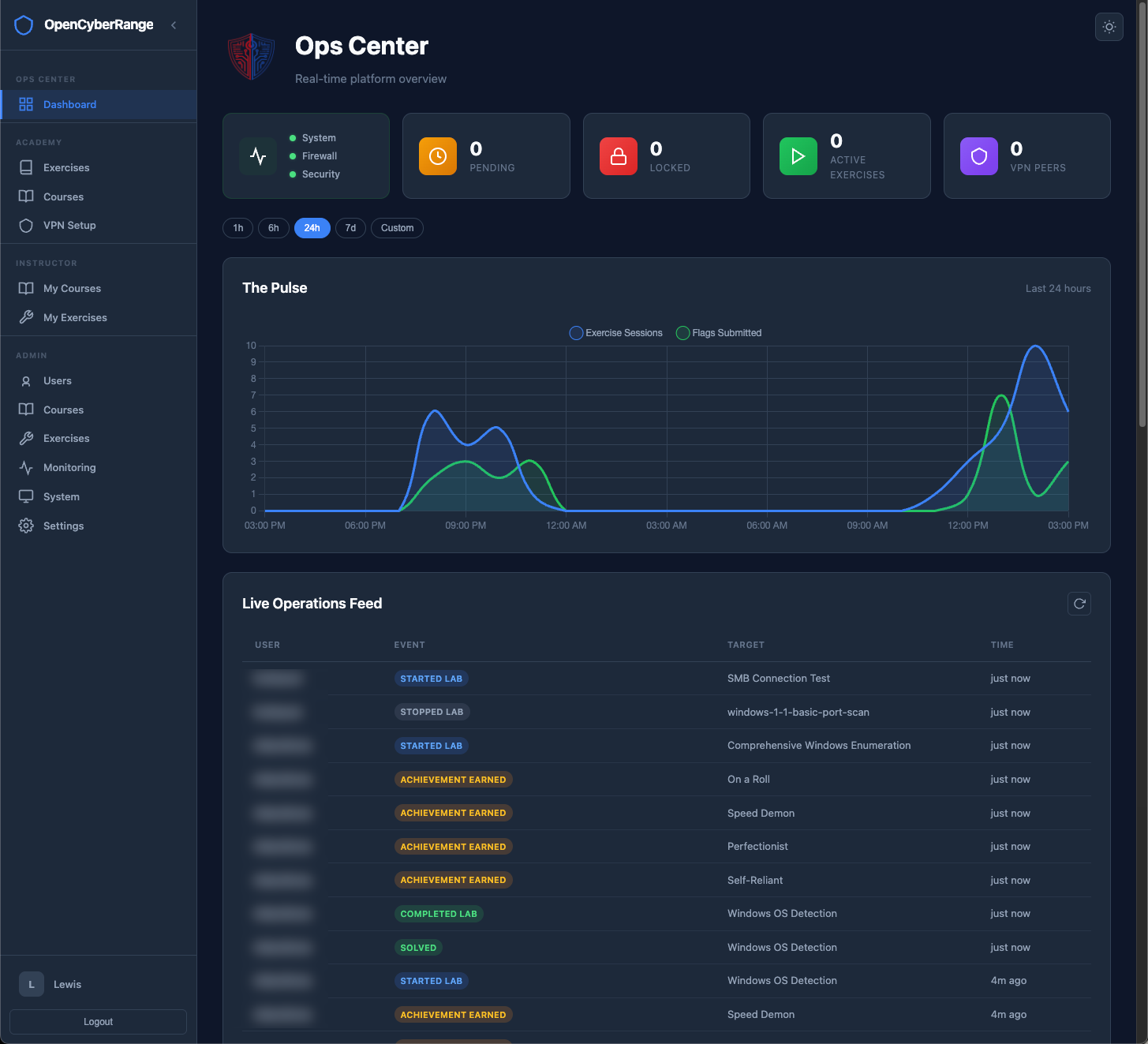
Open Cyber Range dashboard overview showing labs, scores, and student activity

24/7

Always Available

3

Team Environments

3

User Roles

4

Learning Tracks

Everything You Need to
Run a Cyber Range

A complete training platform: from isolated lab environments to course management and grading. No per-seat licensing. No vendor lock-in.

🧪

Isolated Lab Environments

Each student gets a dedicated /24 subnet with unique IP offsets. One lab at a time. No conflicts, full isolation between every learner on the platform.

Lab launcher UI
💻

RangeBox: Browser-Based Attack Box

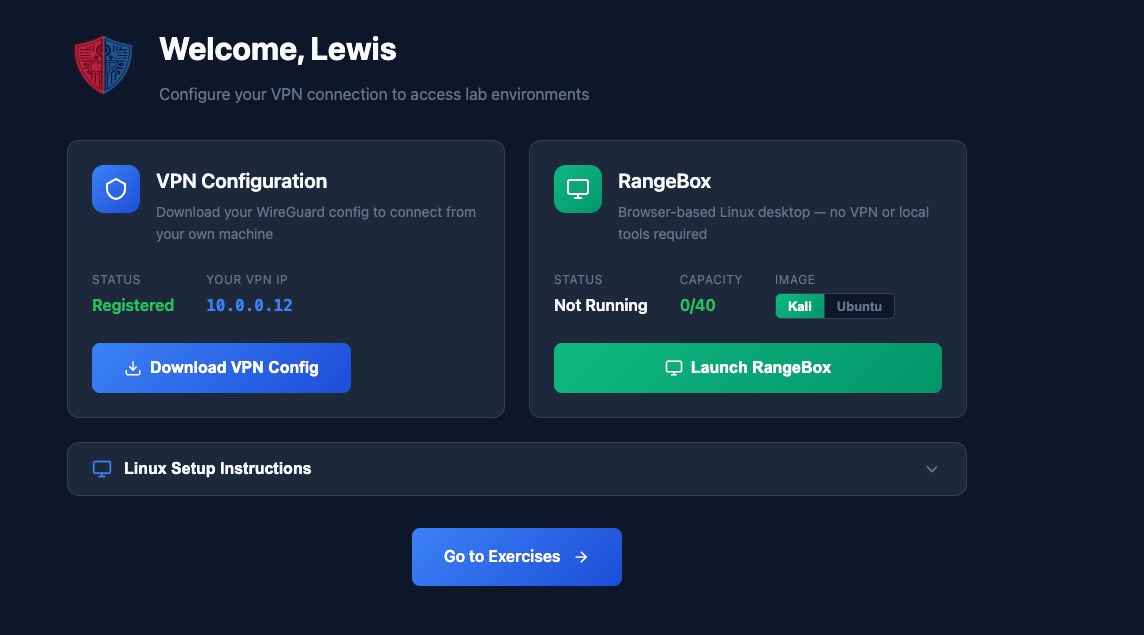
Students can connect from their own Kali VM or launch a full Kali or Ubuntu desktop right in the browser with RangeBox. No forced tooling, just options that meet every learner where they are.

RangeBox browser desktop
🎓

Course Management

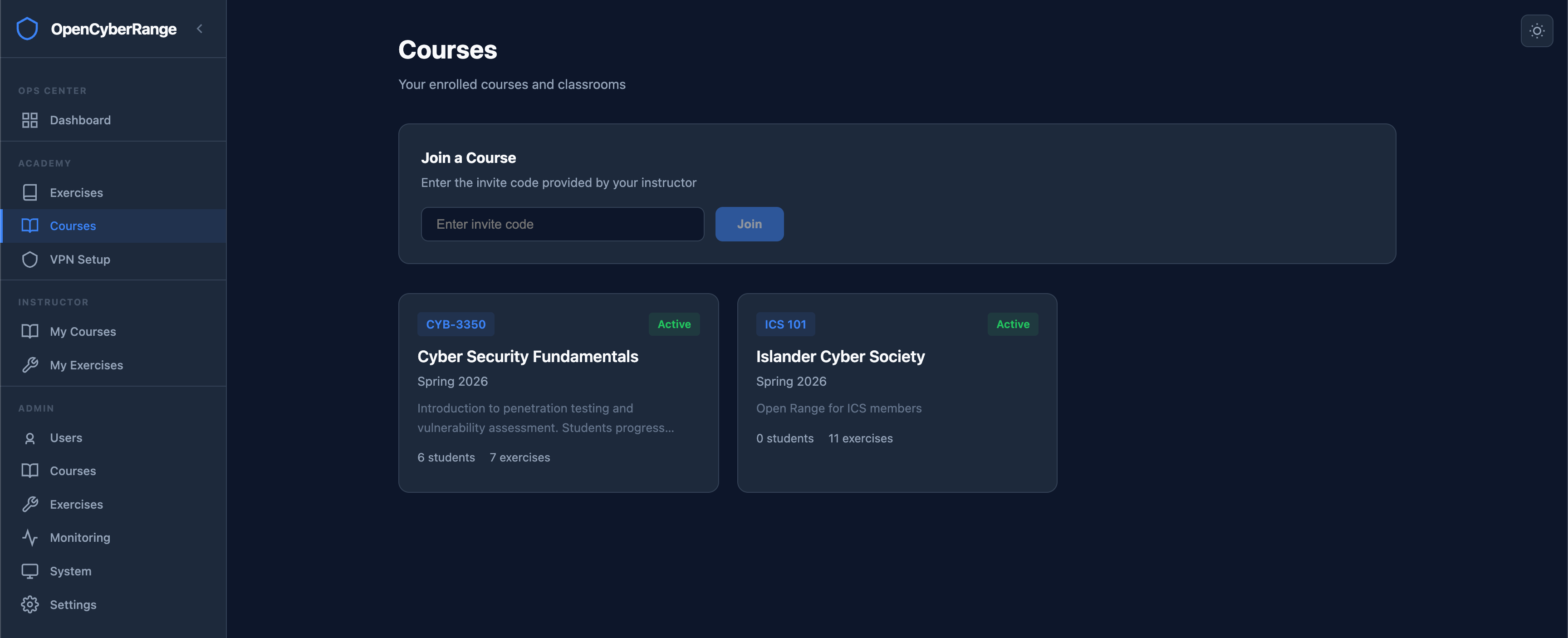
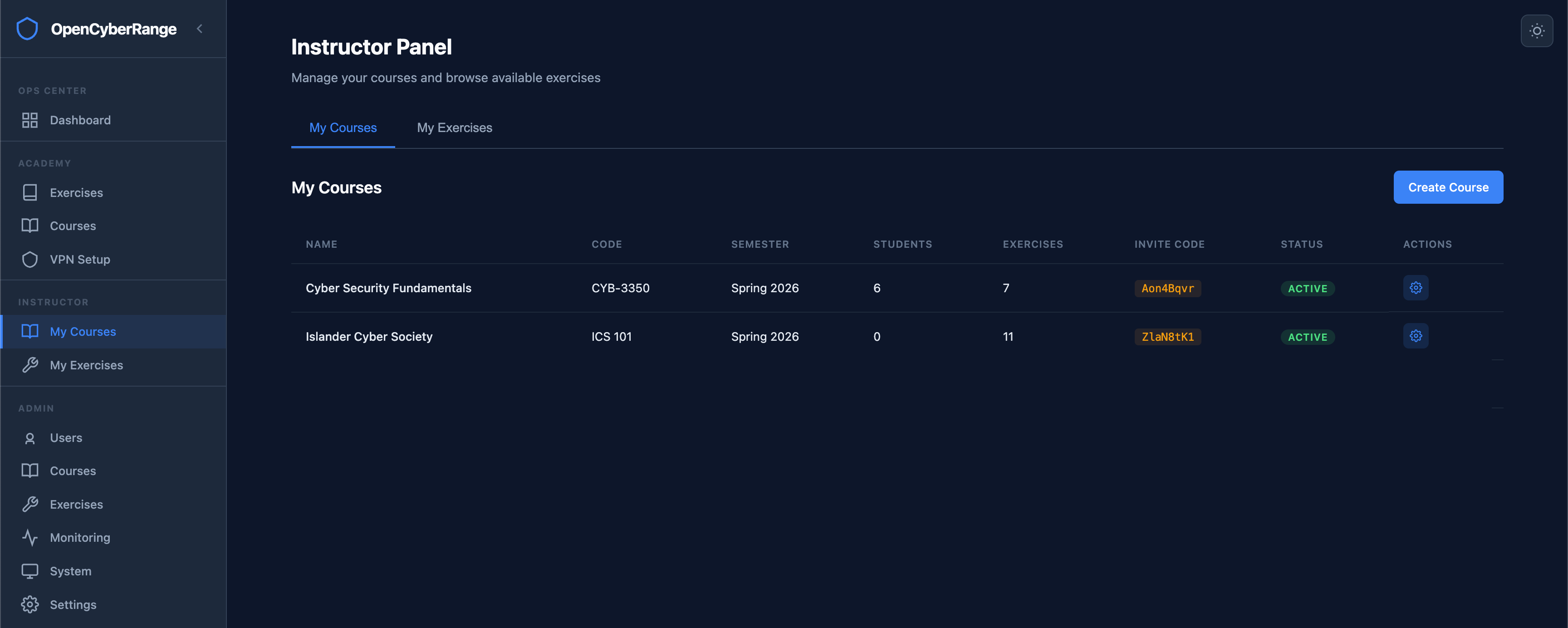
Create courses with invite codes, assign labs from any track, group into assignments with due dates, and generate PDF grade reports. Built for educators.

Course management UI
🏆

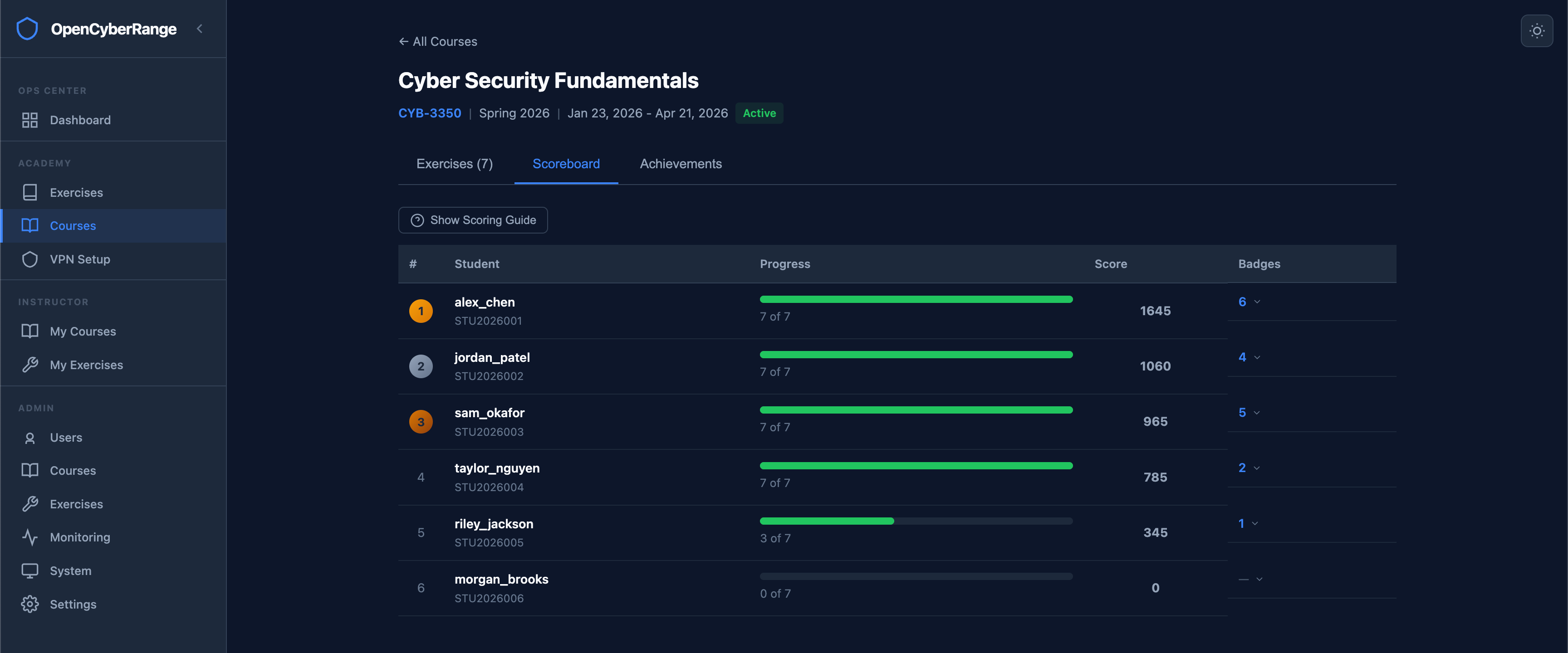
Scoring & Achievements

250-point scoring system with bonuses for speed, accuracy, and first blood. Six achievement types awarded automatically. Course scoreboards rank students in real time.

Scoring and achievements

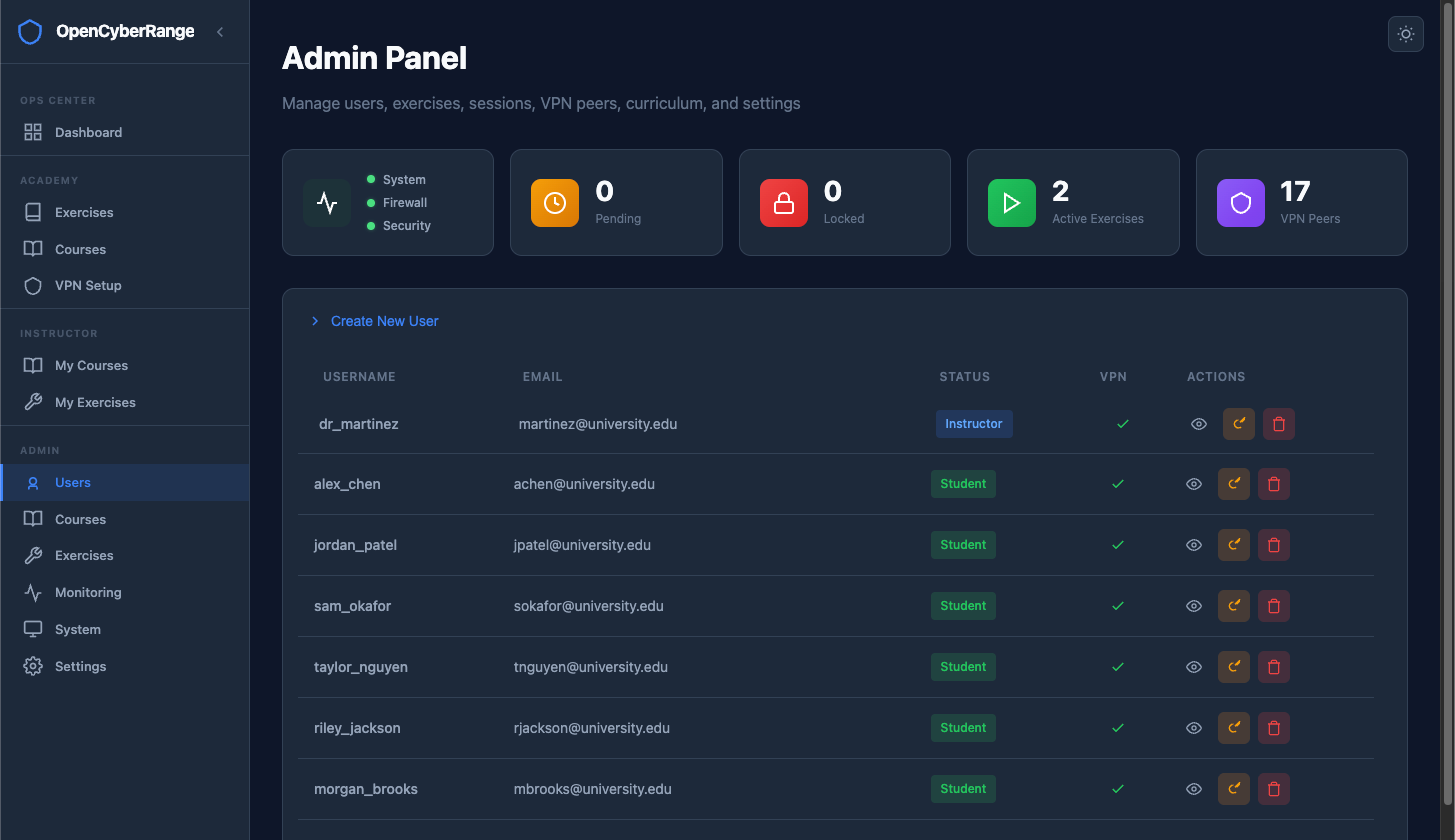
Role-Based Access

Three-tier hierarchy with meaningful differences at every level. Students see exercises and status indicators. Instructors and admins get management controls scoped to their role, from the track view to the admin panel.

Role-based access control
📡

Admin Control Center

Real-time system health, live CPU and memory usage, lab monitoring, firewall diagnostics, database backup and restore, and runtime-configurable settings, all from the web UI.

Admin dashboard

From Deploy to First Flag

Four steps from a bare server to students capturing flags.

01

Deploy the Platform

Clone the repo and run the setup script. Platform comes with Nginx, Vue frontend, FastAPI backend, and PostgreSQL, all pre-configured.

02

Create Your Course

Set up a course, pick labs from thirteen tracks, generate an invite code, and share it with your class. Assign labs, set due dates, group into assignments.

03

Students Connect

Students register, then connect from their own VM or launch a browser-based RangeBox. Either way, they're hacking in minutes.

04

Launch & Learn

Students spawn labs, run nmap to discover targets, exploit vulnerabilities, and capture flags. Scores, achievements, and progress tracked automatically.

Get Running in Minutes

Clone, configure, deploy. The platform handles the rest.

1

Clone the Repository

Pull the repo to your server. All platform code, lab definitions, and infrastructure configs are included.

2

Run the Setup Script

Run scripts/setup-range-server.sh --install and the script handles everything: configures the infrastructure, sets up the platform, and launches all services. Answer a few prompts for your deployment mode, then create your admin account in the browser setup wizard.

3

Start Training

That's it. RangeBox, firewall rules, and the full platform are all configured automatically. Students launch a browser-based desktop from the VPN Setup page and start hacking.

deployment
# Clone the repository
$ git clone https://github.com/syntaxoverride/opencyberrange.git
$ cd opencyberrange
 
# Run the setup script
$ sudo bash scripts/setup-range-server.sh --install
 
   ___   ____  ____
  / _ \ / ___||  _ \
 | | | | |    | |_) |
 | |_| | |___ |  _ <
  \___/ \____||_| \_\
 +-----------------------------------+
 | O p e n C y b e r R a n g e       |
 | Server Setup                     |
 +-----------------------------------+
 
[·] User : ocradmin
[·] RangeBox engine : enabled
[·] Lab network : 10.100.0.0/16
 
[+] Infrastructure configured
[+] RangeBox service started
[+] IP forwarding enabled
[+] Firewall rules applied
[+] Platform services running
 
✓ Open Cyber Range is live
  → https://range.yourdomain.com
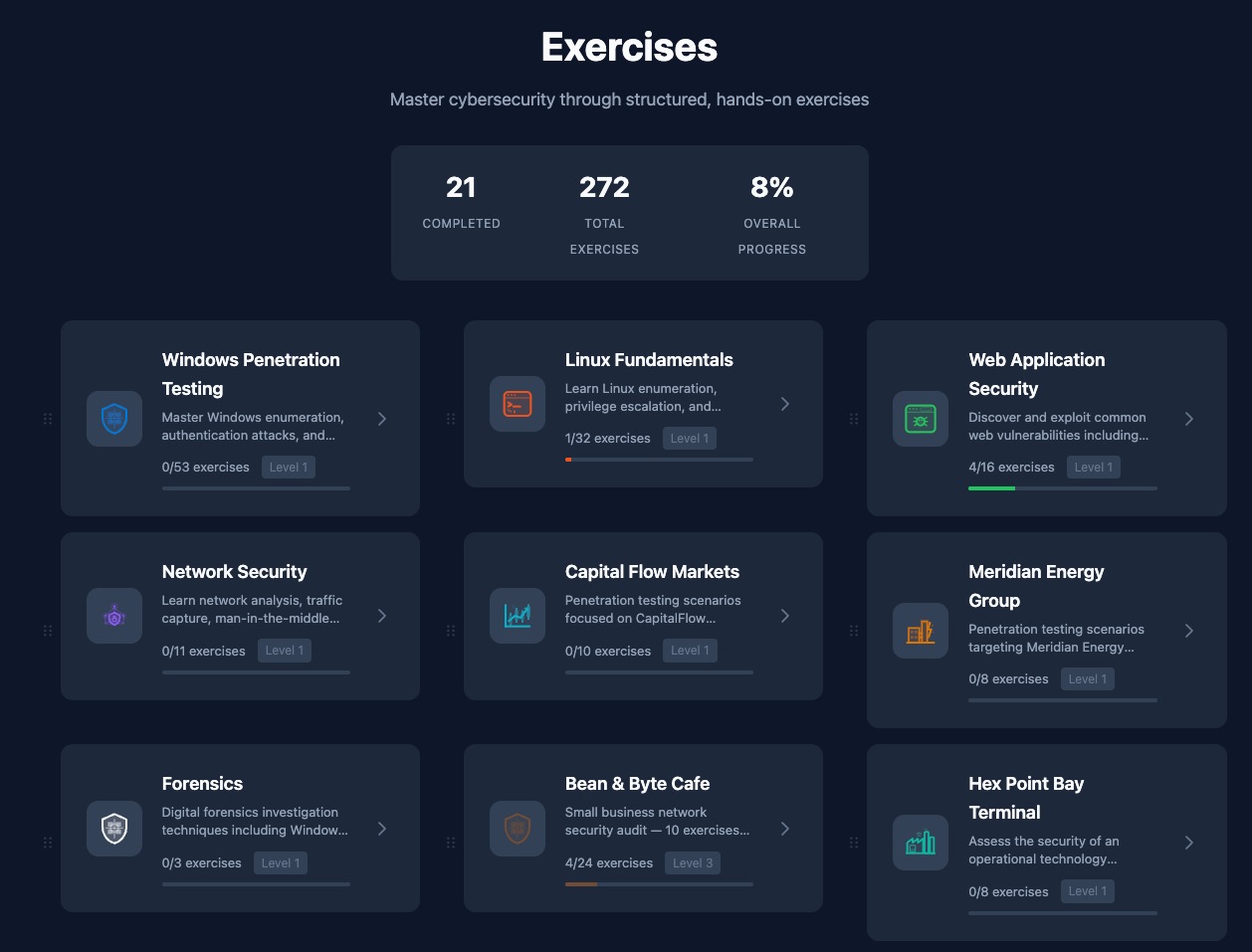
Four Learning Tracks

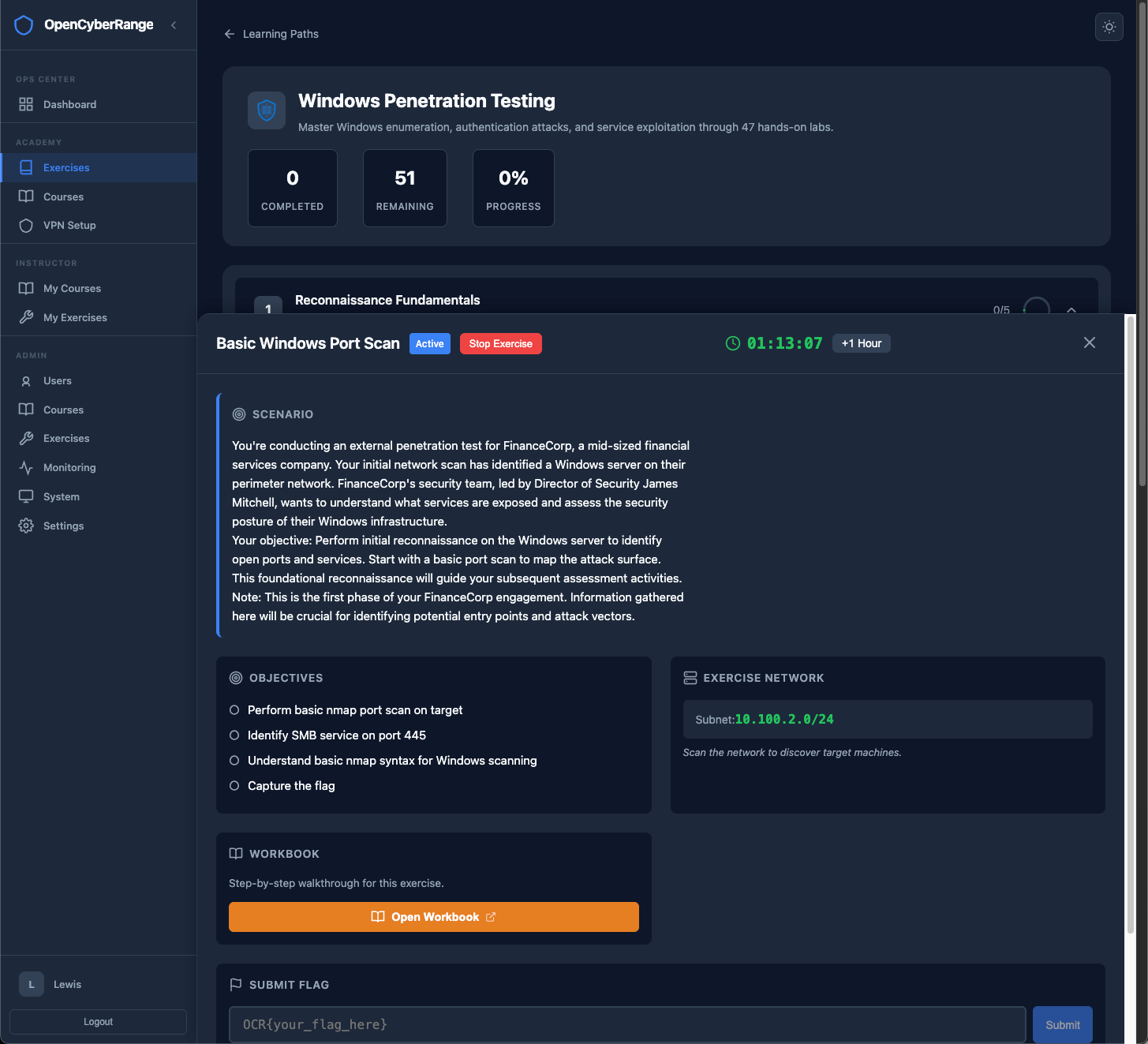
OCR-Lite ships four tracks: Windows penetration testing, Linux fundamentals, web application security, and network security. Each has multiple difficulty levels with progressive unlocking. The Enterprise edition adds more, including forensics, ICS/OT, and scenario-based tracks.

https://range.yourdomain.com/exercises
Learning paths dashboard showing exercise categories, difficulty levels, and progress tracking

The Enterprise Edition

OCR-Lite is the free, open-source, self-hosted foundation. The Enterprise edition builds on it with the capabilities teams ask for most.

Real SOC and SIEM Exercises

Hands-on detection and response inside a live SIEM. Hunt through real telemetry, write detections, and work incidents from first alert to closure, not just capture flags.

Native Cloud Installations

Deploy straight to AWS, Azure, and other providers with first-class installers, instead of hand-tuning firewall and VPN settings for every environment.

Full Windows VM Labs

OCR-Lite already ships Docker-based Windows enumeration and SMB labs. Enterprise adds real Windows 10 and Server 2022 VMs with Active Directory, privilege escalation, lateral movement, and credential harvesting.

More details coming soon.

Stop Paying for
What Should Be Open

Open Cyber Range is built by educators for educators. No per-seat fees. No vendor lock-in. Deploy on your infrastructure and own your training platform.

Designed and built by Lewis Heuermann.