
Open Source · Self-Hosted

Your Own
Cyber Range

Isolated lab environments for cybersecurity training. Connect from your own VM or use a browser-based attack box. Role-based courses, achievement tracking, and full admin control; all on a single server.

kali@cyberrange ~ student-lab
┌──(kali㉿kali)-[~]
└─$ nmap -sV 10.100.5.0/24
 
Nmap scan report for 10.100.5.17
PORT    STATE  SERVICE  VERSION
22/tcp  open   ssh     OpenSSH 9.2
80/tcp  open   http    Apache httpd 2.4.57
3306/tcp open   mysql   MySQL 8.0.33
 
└─$ curl http://10.100.5.17/robots.txt
Disallow: /admin/backup.sql
 
└─$ submit-flag OCR{sql_backup_exposed_2024}
✓ Flag accepted! Exercise complete. +175 points
https://range.yourdomain.com/dashboard
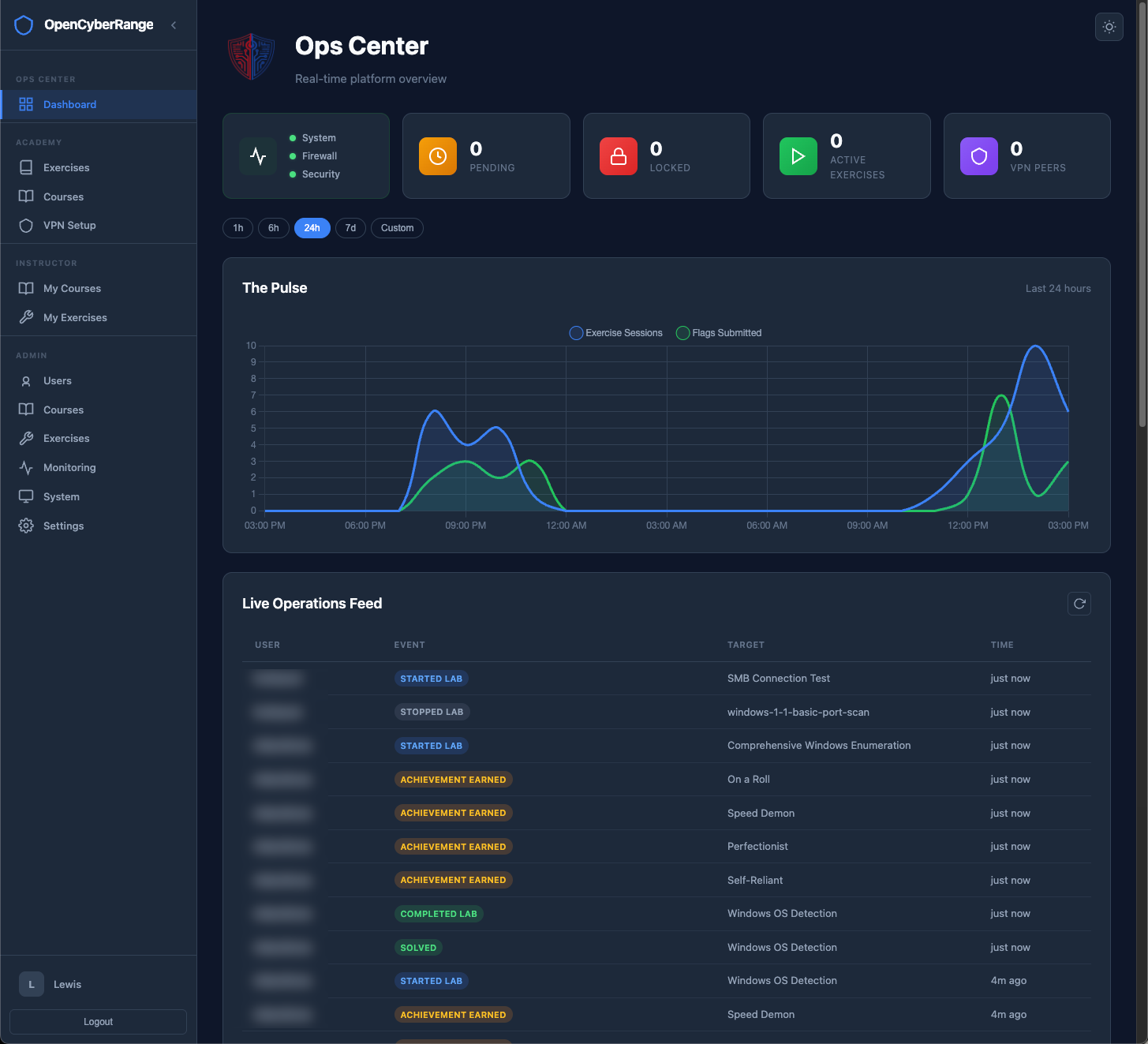
Open Cyber Range dashboard overview showing labs, scores, and student activity

24/7

Always Available

3

Team Environments

3

User Roles

13

Learning Tracks

Everything You Need to
Run a Cyber Range

A complete training platform: from isolated lab environments to course management and grading. No per-seat licensing. No vendor lock-in.

🧪

Isolated Lab Environments

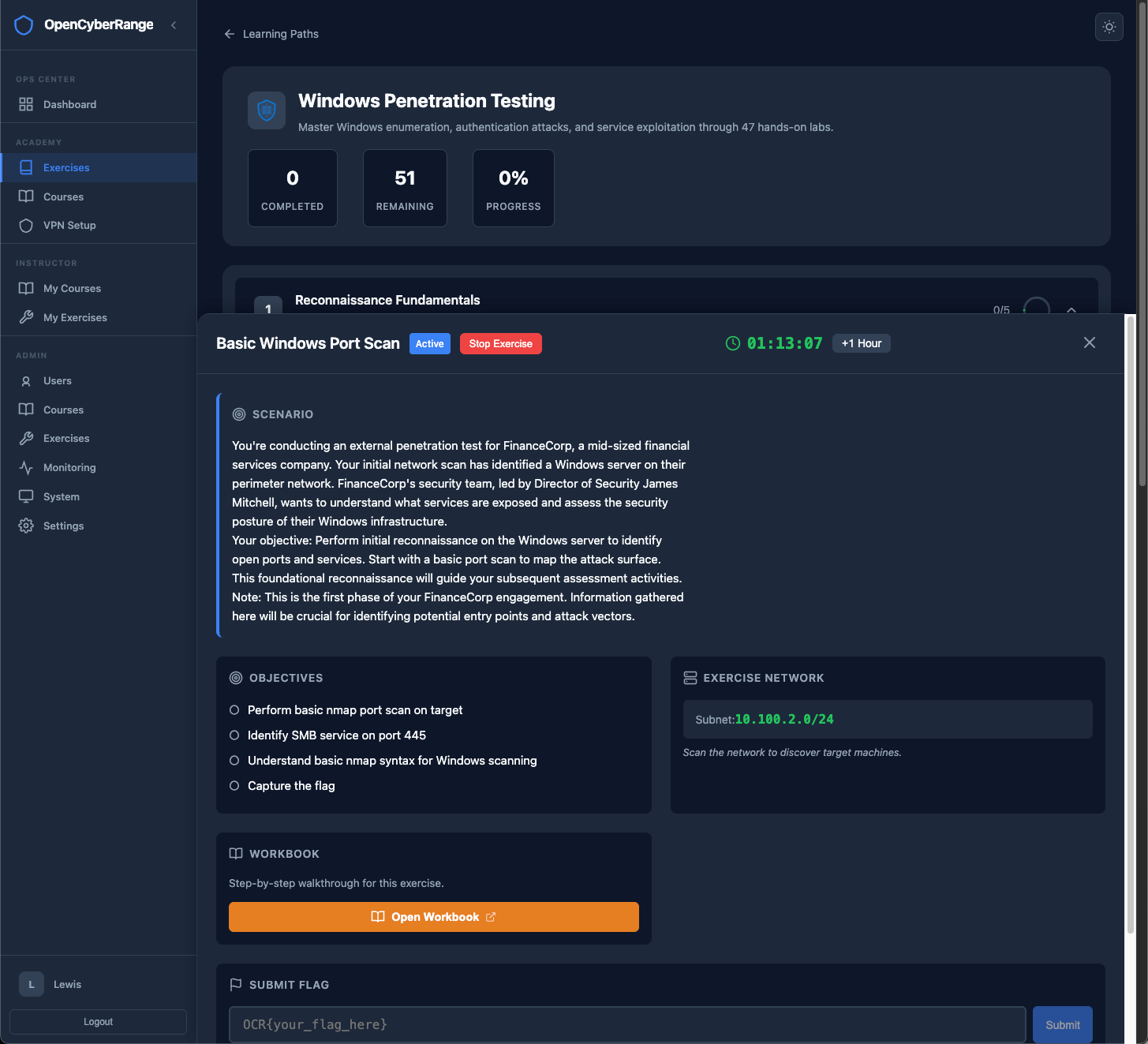
Each student gets a dedicated /24 subnet with unique IP offsets. One lab at a time. No conflicts, full isolation between every learner on the platform.

Lab launcher UI
💻

RangeBox: Browser-Based Attack Box

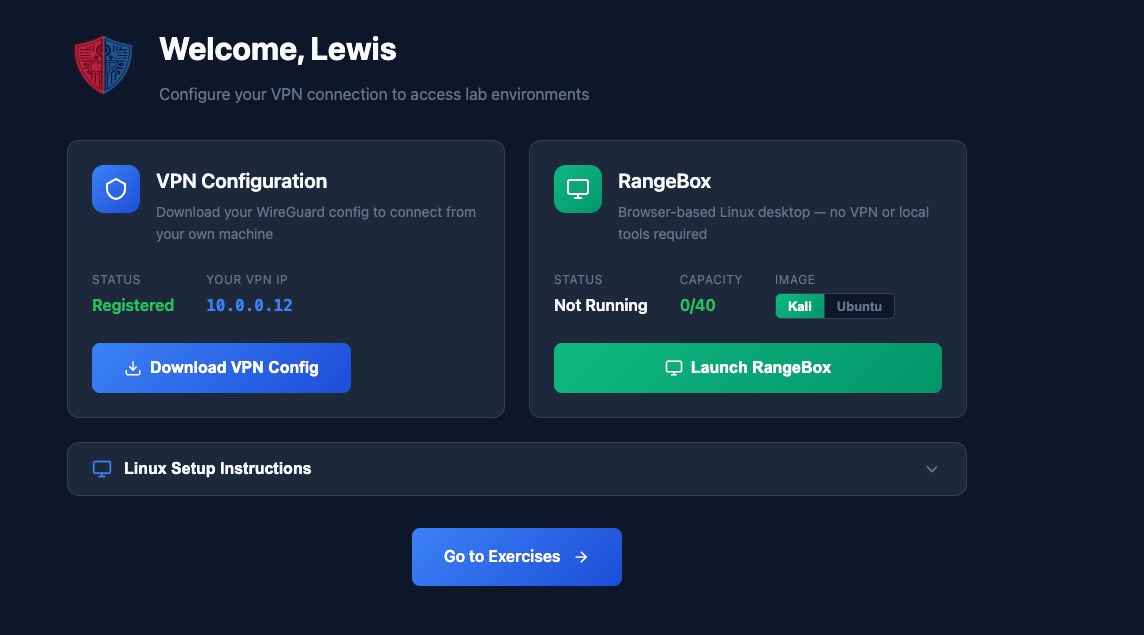
Students can connect from their own Kali VM or launch a full Kali or Ubuntu desktop right in the browser with RangeBox. No forced tooling, just options that meet every learner where they are.

RangeBox browser desktop
🎓

Course Management

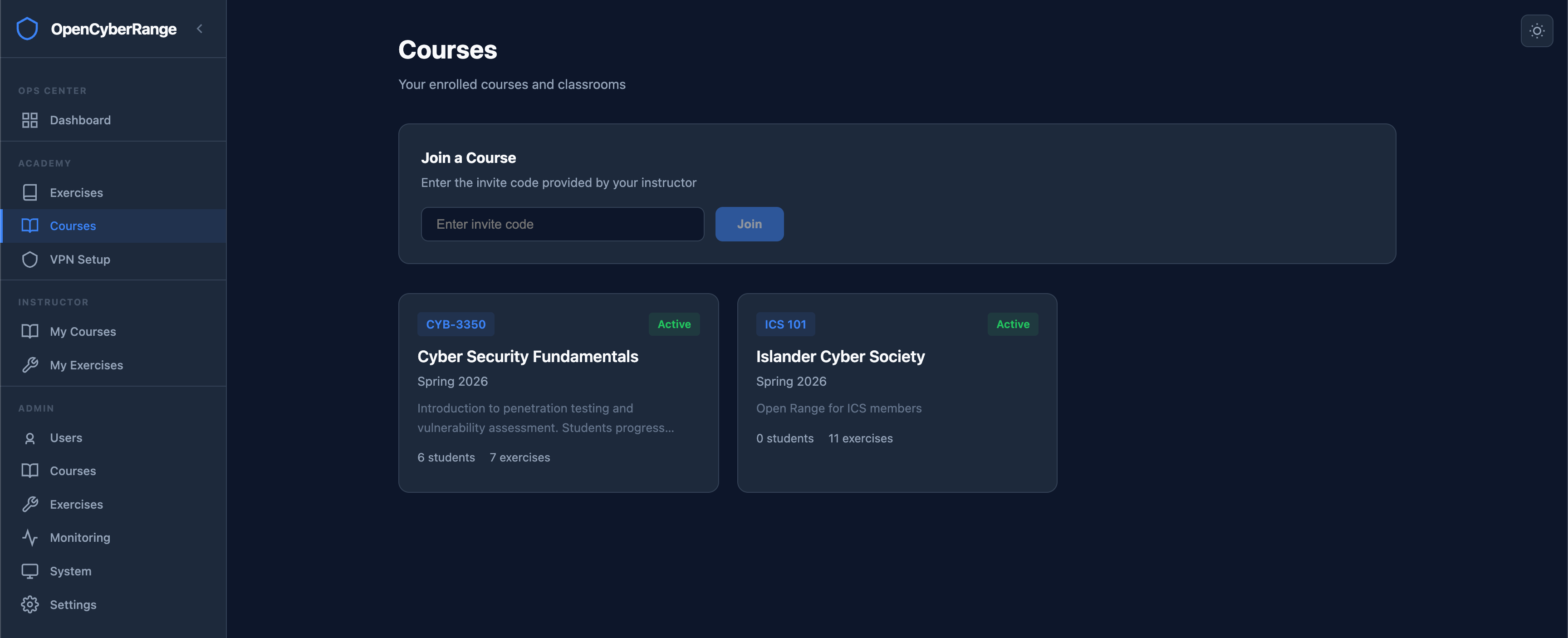
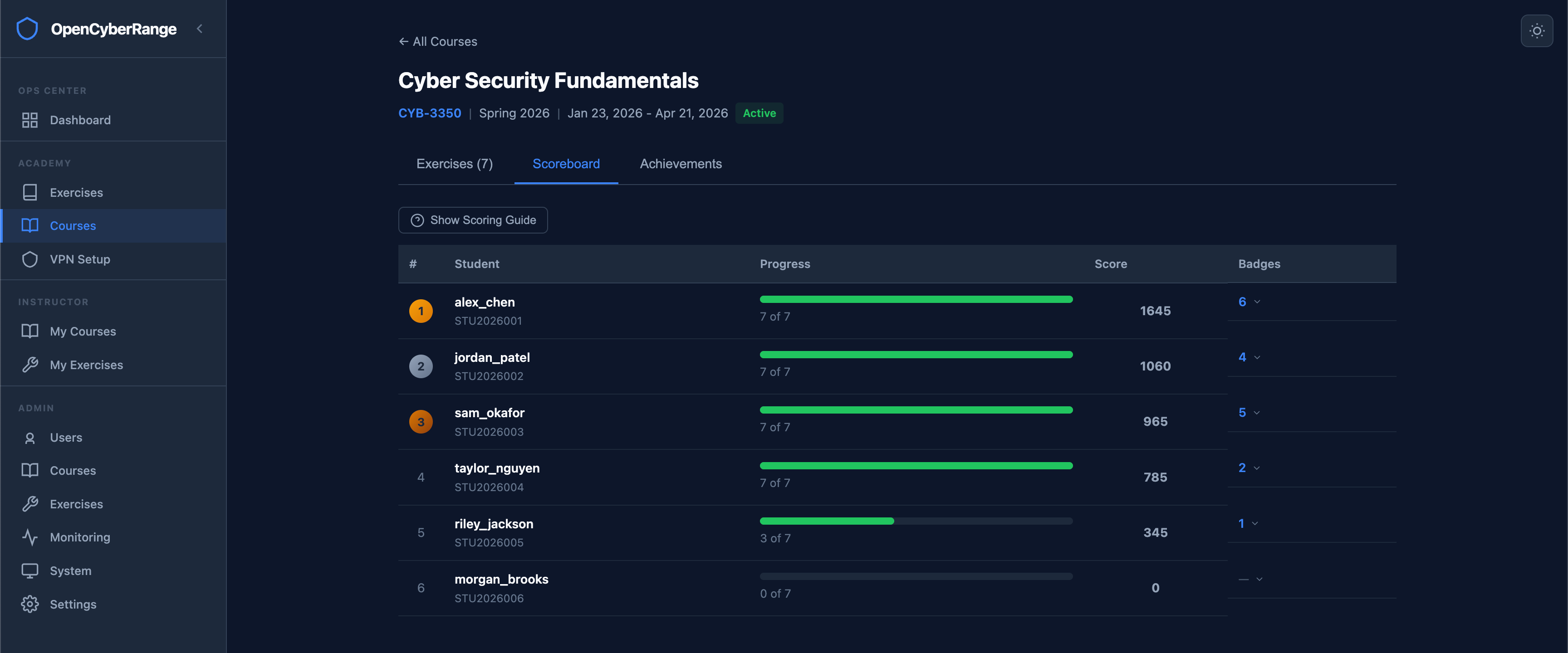
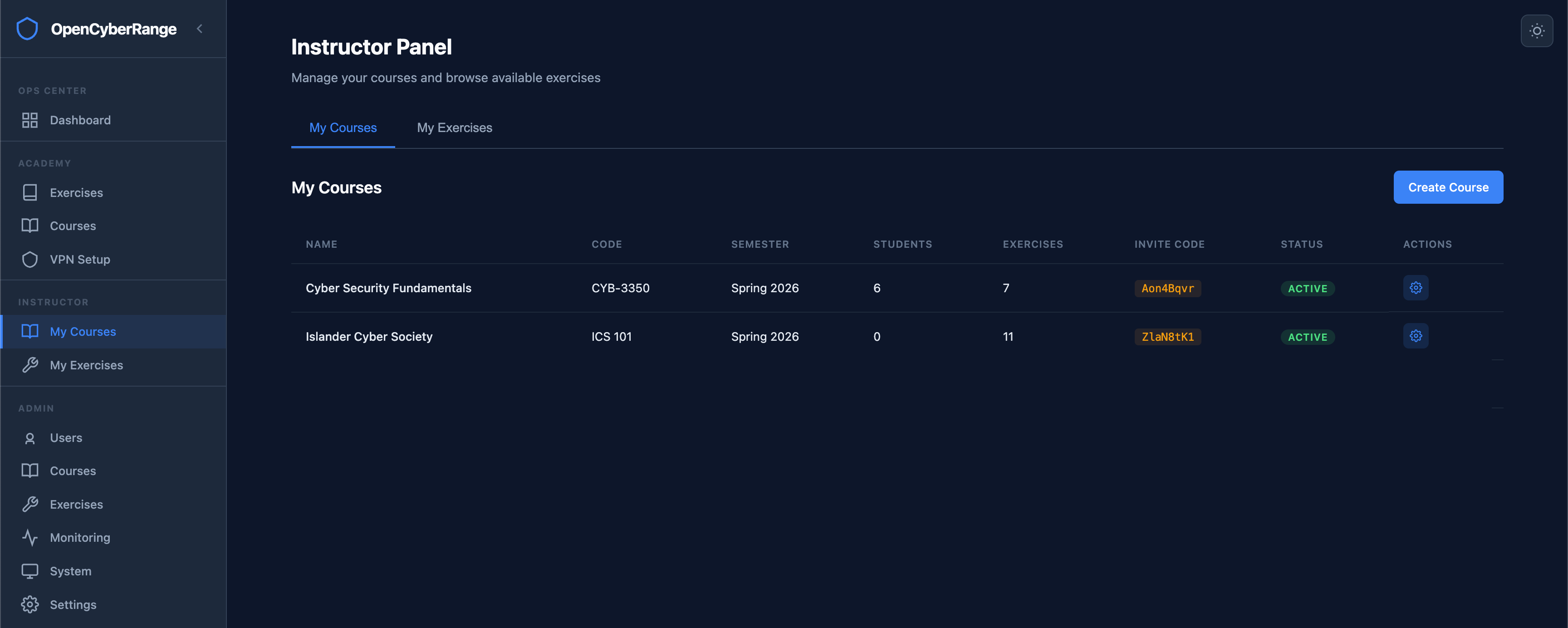
Create courses with invite codes, assign labs from any track, group into assignments with due dates, and generate PDF grade reports. Built for educators.

Course management UI
🏆

Scoring & Achievements

250-point scoring system with bonuses for speed, accuracy, and first blood. Six achievement types awarded automatically. Course scoreboards rank students in real time.

Scoring and achievements
🛡️

Role-Based Access

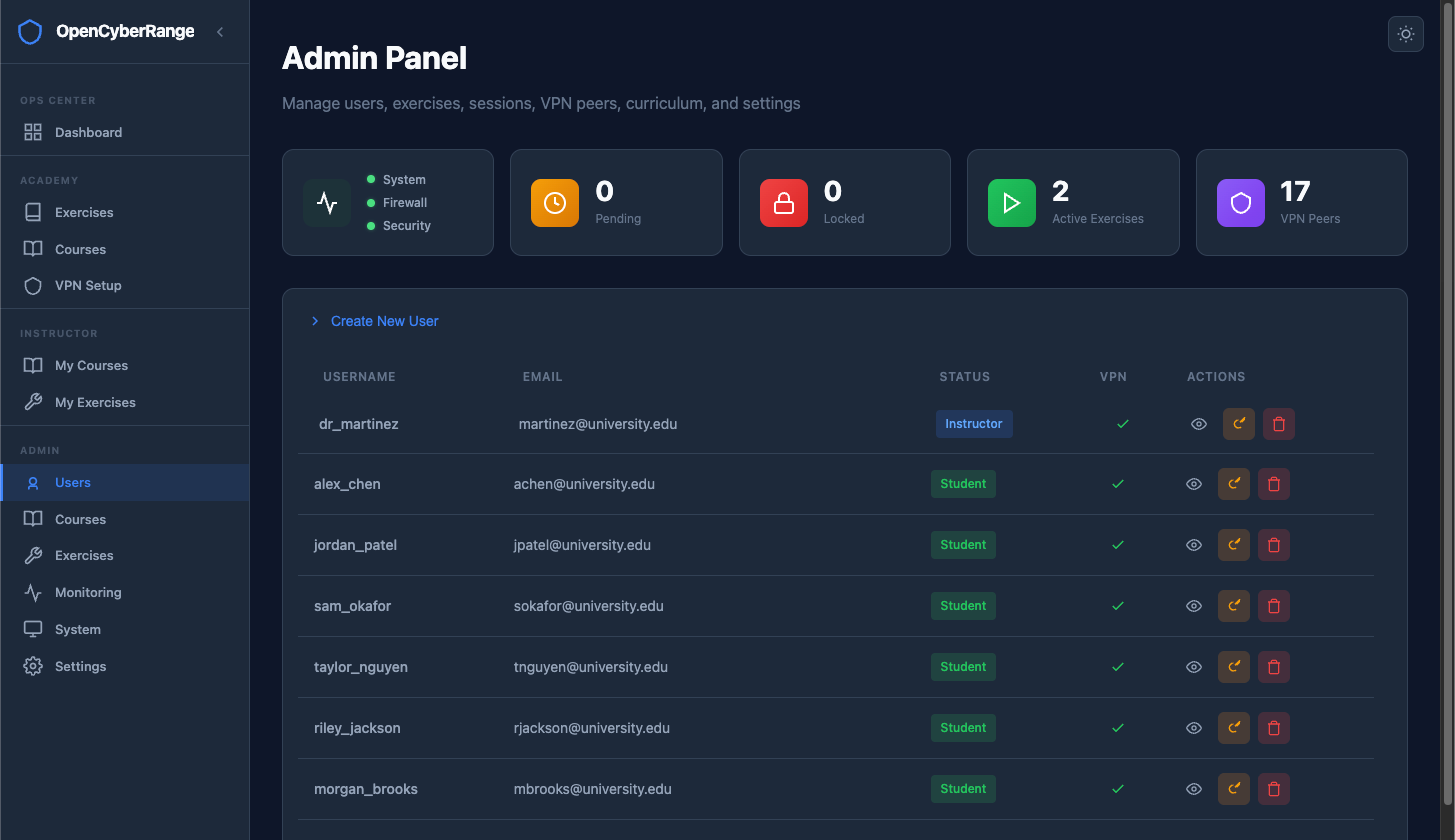
Three-tier hierarchy: Student, Instructor, Admin. JWT auth, account approval flow, lockout protection, and forced password changes. Full audit trail on every action.

Role-based access control
📡

Admin Control Center

Real-time system health, lab monitoring, firewall diagnostics, database backup/restore, and runtime-configurable settings, all from the web UI.

Admin dashboard

From Deploy to First Flag

Four steps from a bare server to students capturing flags.

01

Deploy the Platform

Clone the repo and run the setup script. Platform comes with Nginx, Vue frontend, FastAPI backend, and PostgreSQL, all pre-configured.

02

Create Your Course

Set up a course, pick labs from thirteen tracks, generate an invite code, and share it with your class. Assign labs, set due dates, group into assignments.

03

Students Connect

Students register, then connect from their own VM or launch a browser-based RangeBox. Either way, they're hacking in minutes.

04

Launch & Learn

Students spawn labs, run nmap to discover targets, exploit vulnerabilities, and capture flags. Scores, achievements, and progress tracked automatically.

Get Running in Minutes

Clone, configure, deploy. The platform handles the rest.

1

Clone the Repository

Pull the repo to your server. All platform code, lab definitions, and infrastructure configs are included.

2

Run the Setup Script

Run scripts/setup-range-server.sh --install and the script handles everything: configures the infrastructure, sets up the platform, and launches all services. Enter your custom URL and admin details when prompted.

3

Start Training

That's it. RangeBox, firewall rules, and the full platform are all configured automatically. Students launch a browser-based desktop from the dashboard and start hacking.

deployment
# Clone the repository
$ git clone https://github.com/opencyberrange/opencyberrange.git
$ cd opencyberrange
 
# Run the setup script
$ sudo bash scripts/setup-range-server.sh --install
 
   ___   ____  ____
  / _ \ / ___||  _ \
 | | | | |    | |_) |
 | |_| | |___ |  _ <
  \___/ \____||_| \_\
 +-----------------------------------+
 | O p e n C y b e r R a n g e       |
 | Server Setup                     |
 +-----------------------------------+
 
[·] User : ocradmin
[·] RangeBox engine : enabled
[·] Lab network : 10.100.0.0/16
 
[+] Infrastructure configured
[+] RangeBox service started
[+] IP forwarding enabled
[+] Firewall rules applied
[+] Platform services running
 
✓ Open Cyber Range is live
  → https://range.yourdomain.com
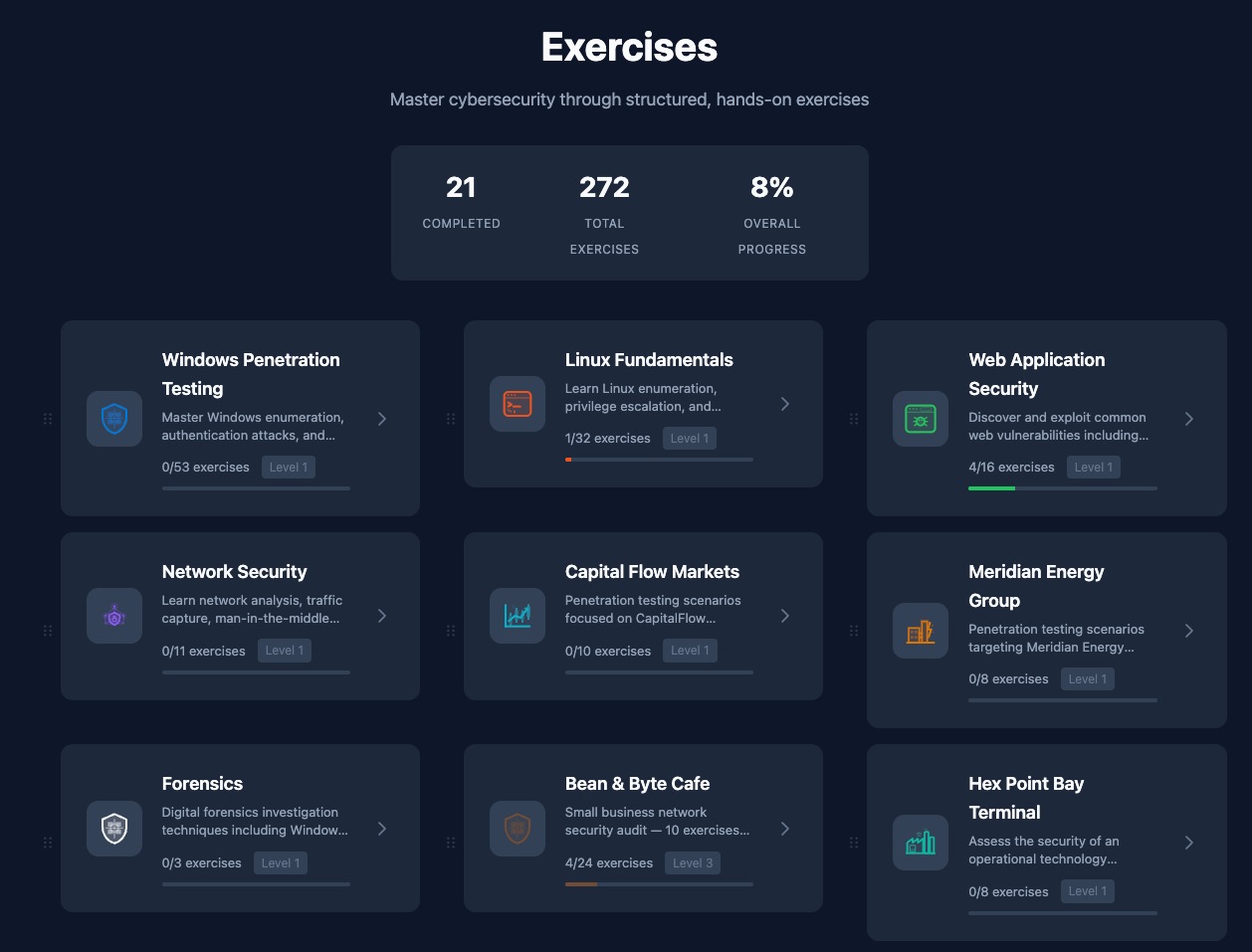
Thirteen Learning Tracks

Structured paths from reconnaissance to exploitation. Each track has multiple difficulty levels with progressive unlocking.

https://range.yourdomain.com/exercises
Learning paths dashboard showing exercise categories, difficulty levels, and progress tracking

Stop Paying for
What Should Be Open

Open Cyber Range is built by educators for educators. No per-seat fees. No vendor lock-in. Deploy on your infrastructure and own your training platform.